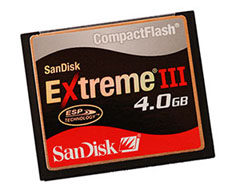
 Although there are ways to reduce the risk of memory card problems, you can never escape them completely.
Sooner or later, you’re going to come home from a wonderful day in the wilderness with a memory card loaded with great photos, but when you try to download those shots to your computer, your memory card will fail for whatever reason.
Well, when your memory card decides to stop cooperating with you, here are a few things you can try to save your photos:
#1 – Try another memory card reader
This should always be the first thing you try, because it will not affect the card itself in any way. Sometimes certain combinations of memory cards, readers, computers, and operating systems don’t work well together, so you may be able to save your photos by simply using another card reader, connecting your camera directly to your computer, or trying another computer.
Even if your memory card has always worked with your current configuration of computer, operating system, etc, you should still try this.
#2 – Skip over problematic images
Have you ever started downloading photos from your memory card and everything is going well until it gets to a specific photo, and then the download process just completely stalls?
Maybe you tried canceling it, then started the download over again, but it still stalled–at the same photo?
This is a common problem that, luckily, has a simple solution: manually copy all the photos before this “problem photo” and then manually copy all the photos after this problem photo.
Somehow when taking the photo, your camera corrupted this problem photo, so your reader will stall whenever you try to access it. Of course, you’ll end up losing this problem photo, but this is just another reason why you should always take lots and lots of photos 🙂
#3 – Try using recovery software
Many of the memory card manufacturers have their own software for recovering images, so check their website. Personally, I’ve had good success with Lexar’s recovery software (I was able to recover some hummingbird photos I shot).
You can also try one of these free programs, which seem to work well from the research I’ve done:
PhotoRec – works on multiple platforms (Windows, Mac, Linux, etc), but not very user-friendly. You may want to get some help from one of your computer friends, or check out this tutorial.
EXIF Untrasher – only available for Mac, and only recovers photos you accidentally deleted (or if you accidentally formatted your memory card).
I haven’t used either of these programs, but I promise the next time I run into a corrupt memory card I’ll check these out and write a good report about my experience.
When you’re done, format the card and test it
Assuming your recovery succeeded, you should now reformat the card (while it’s in your camera), take a few shots, and try downloading these images to your computer. This process will just verify that your card is okay, and doesn’t have a serious problem that will linger on for your next photo trip.
Join our free newsletter for more great tips delivered by email 🙂

 About the Author: Steve Berardi is a naturalist, photographer, software engineer, and founder of PhotoNaturalist. You can usually find him hiking in the beautiful mountains and deserts of southern California.
Good information for John Q. Public Steve!
Thank you for the wonderful articles. I am so happy to receive them and you are very generous to share your knowledge. I find the information so interesting, it gives me insight so I am not just shooting pictures blindly but have a purpose. I have become a more responsible photographer. Hope you have much to be thankful for at Thanksgiving. Cheers, Gloria
Thanks so much for your nice comment, Gloria! It’s comments like yours that make me want to continue this blog forever 🙂 I’m so glad you’re finding the posts useful! I hope you have a wonderful Thanksgiving as well!
Steve
Great advice, Steve. Thanks! I meet so many novices that only have one card and they shoot until it’s full. Memory is so cheap now there really isn’t a good excuse not to have 3 or 4 cards on hand at any given time.
Thanks, Nothing worse than that feeling of oncoming panic. At least I know all may not be lost.
Really a helpful post. I have a corrupt memory card, Will try to retrieve data from it.
Great post and a great site! Thanks!
Helpful tips indeed. I’ve had very few memory card problems, but during those rare occasions, Sandisk RecoveryPro software has always worked for me.
hai sir,,,,,,,,,,,i recoverd some photo’s ….it’s shows in thumnail but didn’t show in preview please help me………………pls give the solution to my mail surya.surya.72@gmail.com